
Marketing AI OS "ENSOR" releases Slack integration
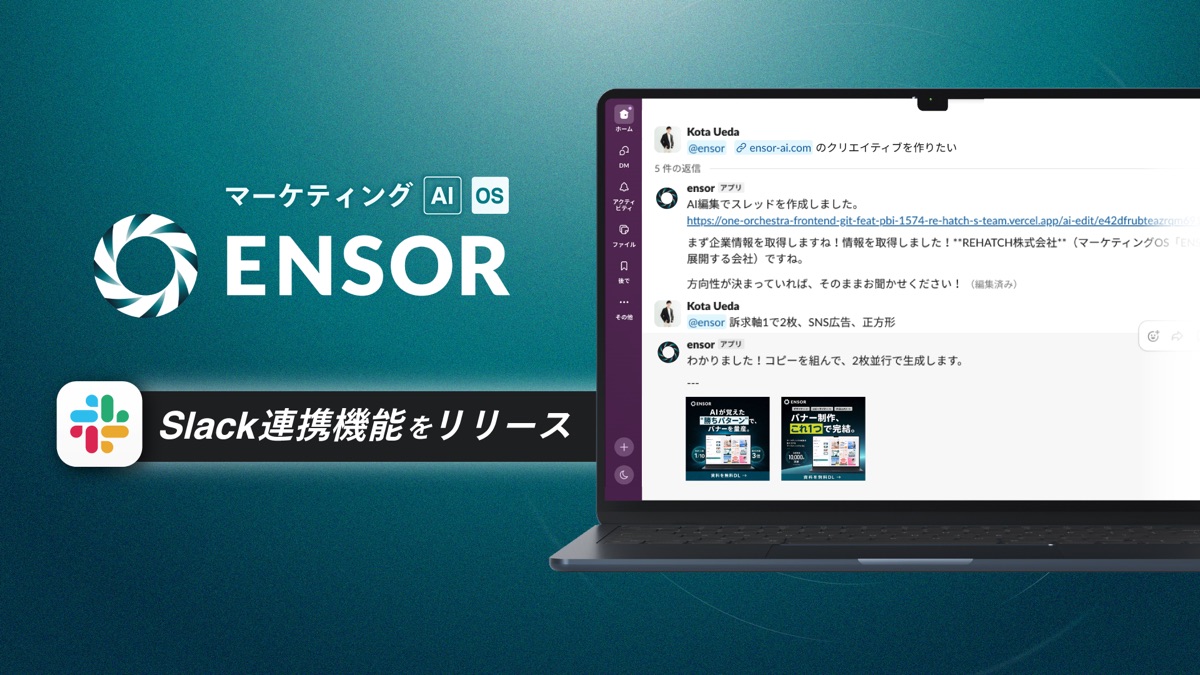
REHATCH Inc. has launched a "Slack integration" for its Marketing AI OS "ENSOR" that lets you instruct ENSOR directly from Slack and seamlessly start AI creative production, landing-page creation, and analytics.
Just mention @ensor in your usual Slack to seamlessly start production, landing-page creation, and analytics. From organizing requirements to reviewing and sharing deliverables, Slack and ENSOR connect smoothly.
Marketing teams that use Slack in their daily work can start using AI right from their everyday communication environment simply by mentioning @ensor. The appropriate feature launches automatically based on the request, and requirement organization and additional instructions proceed within the Slack thread. Detailed review and editing of deliverables can be done smoothly in the linked ENSOR admin screen.
Background to the Release
While a team's information sharing gathers in Slack, the starting point for using AI is in a separate admin screen, creating the effort of moving back and forth between tools. Because the trigger for instructions and requests sits away from Slack, overlooked requests and delayed responses tend to occur.
- To use AI tools, you have to leave Slack each time and start from a separate screen.
- Production requests and progress end up split between Slack and the admin screen.
- You want to keep the team's request status and deliverable sharing within the flow of your usual conversation.
With this Slack integration, you can place the starting point for using AI in Slack and smoothly connect everything from organizing requirements to sharing deliverables.
Feature Details
Instruct ENSOR directly from Slack
Simply mention @ensor in Slack and send a message to instruct ENSOR. ENSOR automatically selects the appropriate one among AI editing, LP creation, and AI chat, starts a thread, and replies. From there, reply within the thread with @ensor, or send a message in the thread that was started, and you receive additional responses. Detailed review and editing of deliverables can be done in the linked ENSOR admin screen.
- Set it up from the integrations list (workspace settings).
- Invite @ensor to a Slack channel.
- Mention @ensor and send a message, and a thread is started automatically based on the content.
- Continue production and analysis through the exchange within the thread.
Notifications and output sharing completed entirely in Slack
You can also push information from ENSOR to Slack. Schedule settings and chat results can be shared to a specified Slack channel. Beyond just receiving notifications, you can give instructions from Slack as a starting point and share the deliverables with your team.
- Notify a Slack channel of schedule and chat content.
- Share production and analysis results where the team is.
- Carry everything from the trigger for a request to the sharing of deliverables along the flow of Slack.
Anticipated use cases
- When you want to request production or analysis directly from the flow of your usual Slack conversation.
- When you want to advance creative production within the flow of the team's exchanges.
- When you want to share ENSOR notifications and deliverables in a place the whole team can see.
- When you want to grasp the trigger and progress of requests all in one place on Slack.
About ENSOR
ENSOR is an AI creative generation platform for marketers, built on the concept of "AI that mass-produces winning banners — a marketing OS that keeps learning." It executes everything from creative planning to integration and generation in 1/5 of the conventional time.
- Service site
- https://www.ensor-ai.com/
- Business inquiry
- Book a meeting
About REHATCH Inc.
- Company
- REHATCH Inc.
- Location
- THE PORTAL AKIHABARA 8F, 2-10-9 Higashikanda, Chiyoda-ku, Tokyo
- CEO
- Ryota Sakoda
- Founded
- August 2019
- Business
- Development and provision of marketing AI agent "ENSOR"; marketing support services
- Corporate site
- https://re-hatch.jp/
Media inquiries
REHATCH Inc. PR
E-mail: sdt@re-hatch.jp
TEL: 03-5846-9184